Inventory for small hardware makers

Less counting.
More building.

You have parts in drawers, a board to build, and better things to do than reconcile another spreadsheet.

PartHub keeps your parts, storage locations, and bills of materials connected. See what you have. Find what you need. Deduct the parts you use when you build.

For the parts on your bench and the space in your head.

Your parts, with the whole picture attached
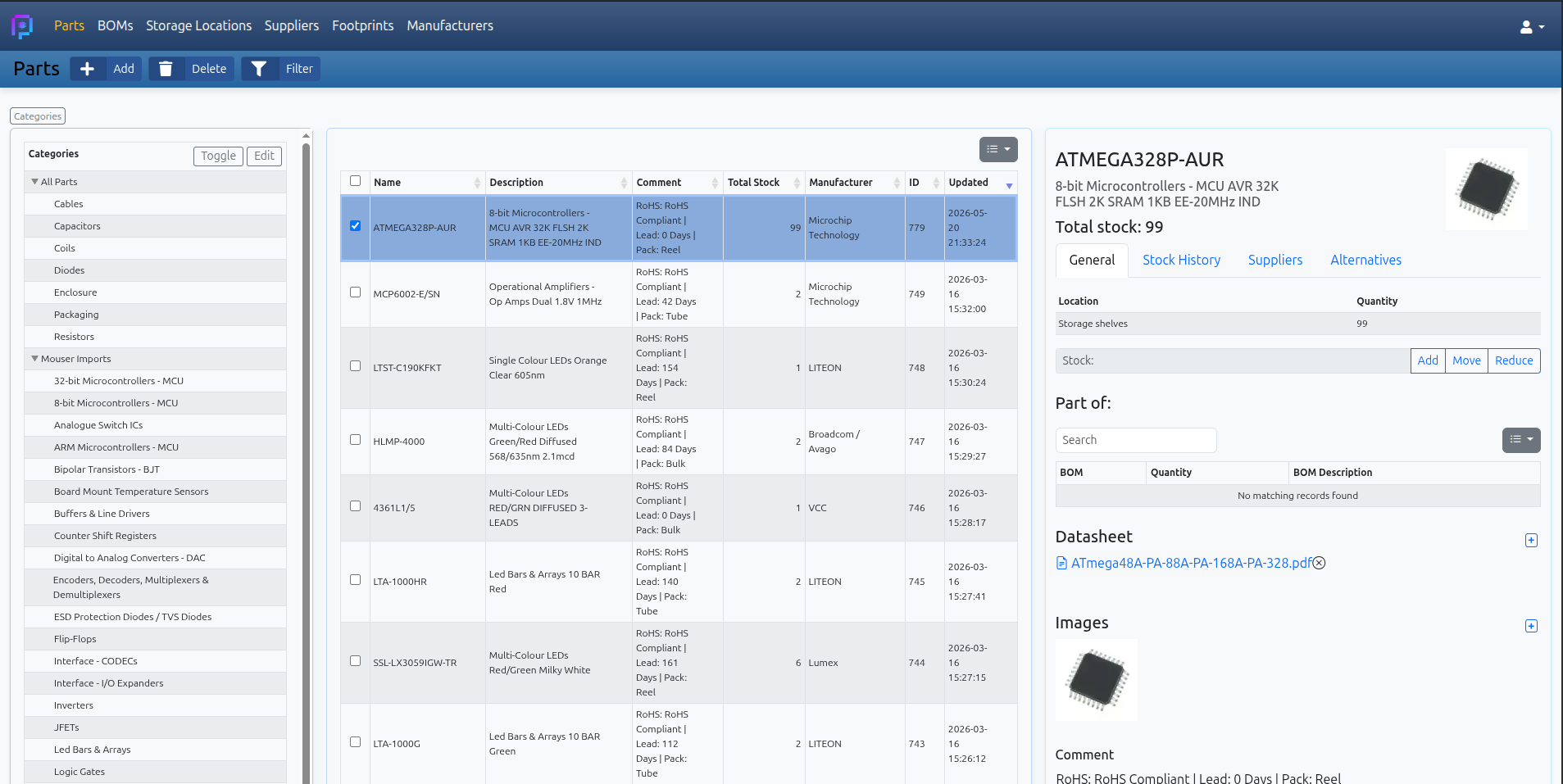
PartHub inventory showing a selected part, its stock location, suppliers, and datasheet
Stock, locations, and part details. One place to look.

Born from the everyday inventory work at KOMA Elektronik.

Follow a part from drawer to build

Your parts and your builds.
Finally on the same page.

From a weekend project to your next small production run, the questions are the same: where is it, do I have enough, and what will be left?

01 / ORGANIZE

“I know we have some…”
Now know where.

  • A few enclosures at your bench for trying an idea.
  • A box in storage for the next production run.
  • Stock held at your supplier, ready to call off when you need it.

Keep those quantities separate, with the total still in view. You can see what is at the bench, what is ready for production, and what still needs to arrive.

Included in Free
Parts / stock locations

Aluminium enclosure

Total stock250
Example enclosure stock by location
LocationQuantity
Prototyping workbench5
Production storage45
Supplier warehouse200

Drag or tap the parcel to move 10 enclosures.

02 / PREPARE

Know what a build will use.

A bill of materials connects your design to the parts you actually have. Check quantities and spot shortages before you start pulling components.

Building five boards? PartHub works out the parts needed for the batch. Try the example to see how the quantities connect.

Included in Free

A little timer board

Example component stock before and after a batch of timer boards
PartIn stockNeededAfter build
10kΩ resistor2 per board501040
10µF capacitor1 per board25520
NE555 timer IC1 per board853

Enough stock for 5 boards. The quantities above show what would remain.

03 / BUILD

Was it 15 or 20?
Your build history knows.

Those 11kΩ resistors went somewhere. Into the timer boards? The filters? And how many did you build that afternoon?

Assemble a BOM in PartHub and the batch quantity is recorded with the build. The components are deducted from stock, with a history entry connecting their use to the project.

Next time you wonder where the parts went, you have a record to check.

Pick a project, build 15 or 20, and follow the resistors.

BOMs / assembly & history

Follow the white rabbit 11kΩ resistor

Two projects, one part

In stock210

Already recorded: 15 timer boards and 20 filter boards. Try adding another batch.

We sell saved time.

The minutes spent finding a reel, checking a spreadsheet, or reconstructing last month's build add up. PartHub keeps those answers with your parts and projects.

Get to the right drawer.

Look up a part and see where the stock is. Save the trip to the shelf that only has an empty bag.

Try moving stock

Let the BOM do the maths.

Change the batch size and check the parts it needs before you clear the bench and start the build.

Try a different batch

Give your memory a break.

The project, the quantity, the parts used. Leave yourself a record you can come back to weeks later.

Follow a build

Less hunting through tabs,
folders, and old orders.

Keep the useful files close

Attach images and datasheets so the pinout or package drawing is there next time you need it.

Remember where it came from

Store suppliers, manufacturer details, and supplier part numbers with the component.

Notice when stock runs low

Set minimum quantities and receive low-stock notifications when parts fall below them.

Bring the list you already have

Import parts and BOMs from CSV, then add the details as your inventory takes shape.

These tools are available on Free, within its published allowances.

Start with a drawer.
Stay for the workflow.

Use Free for as long as it works for you. When your inventory grows or repeat builds become part of your week, Maker adds more capacity and tools for the work around them.

See what Maker adds
  • Keep adding to your workshop

    Unlimited parts, BOMs, locations, and supporting records.

  • Put your inventory on the shelf

    Print labels for parts, locations, and BOMs.

  • Keep your options and your history

    Manage alternative parts and browse historical BOM revisions.

From the electronics workbench

Made with real parts, real shelves, and real builds in mind.

PartHub is shaped by people who work with electronics inventory every day.

PartHub grew out of the day-to-day inventory work at KOMA Elektronik: parts, storage locations, BOMs, and sourcing details that needed a focused home.

Christian Zollner Founder of PartHub · KOMA Elektronik
“PartHub feels incredibly intuitive and thoughtfully built. We’d love to use it at Teile Elektronik.”
Paul Teile Elektronik · Berlin
Christian Zollner with his dog Kaja

It started with parts that needed a home.

Christian Zollner built PartHub out of the everyday inventory work at KOMA Elektronik. Components, storage locations, BOMs, and sourcing needed to stay connected without taking over the working day.

That is still the focus: a practical place for the details, so you can get back to making hardware.

Built by Christian Zollner of KOMA Elektronik. Kaja still gets partial credit.

Add one part.
Give it a place. Build from there.

You do not need to organize the whole workshop on day one. Start with the parts for your next project.

Free for as long as you need it. Maker when you want more.

Keep an eye on what is next.

Get feature updates, improvements, and news about Teams.